
Digital Downloads
Filters
Description
A complete replacement-PC installation package for existing A2D2 X-ray systems that require A2D2 version 12.3.2.57 with New Processing.
This package includes A2D2 version 12.3.2.57, the current CTI-issued unlock utility, original A2D2 support documentation, and updated CTI setup and troubleshooting guides to help reinstall or move an existing A2D2 system to a replacement computer.
This release uses the newer A2D2 image-processing path. It should only be selected when it matches the requirements of the existing A2D2 imager and system configuration. If you are unsure whether this is the correct version for your system, contact CTI Solutions before purchasing.
Included in this package:
A2D2 XRay DR version 12.3.2.57 installer with New Processing
CTI/A2D2 unlock utility valid through September 10, 2027
CTI New PC Setup guide
Acquisition Mode instructions
Folder permissions guide
Default X-ray directory instructions
Imager connection troubleshooting
Original A2D2 migration and support documentation
Need it fast?
This package is designed as a convenient self-service option for existing A2D2 customers who want the correct software, unlock utility, setup guides, and support documentation together in one immediate download.
If you are unsure which version you need, would prefer assistance, or do not need immediate self-service access, contact CTI Solutions Support before purchasing. We can help identify the correct software for your system and discuss available support options.
This package is intended for existing A2D2 systems being reinstalled, migrated, or moved to a replacement computer.
Digital product. No physical item will be shipped.
IMPORTANT — A2D2 BETA SOFTWARE NOTICE
A2D2 version 14.0.3.76 is an archived beta release originally developed by Ann Arbor Digital Devices. It was not developed by Creative Technical & IT Solutions, LLC, and CTI is not continuing its development.
This package provides the existing A2D2 beta software for compatible systems, along with installation resources, documentation, and CTI-created setup and troubleshooting guides. CTI may assist with installation, configuration, migration, and determining whether the software is operating as originally designed.
Because this is discontinued third-party beta software, it may contain unresolved bugs, limitations, compatibility problems, or other defects. CTI will not modify, debug, patch, update, repair, or otherwise correct problems within the A2D2 14.0.3.76 software itself. Purchasing this package does not include software-development work or any commitment from CTI to resolve defects in the underlying A2D2 software.
Description
A complete replacement-PC installation package for existing A2D2 X-ray systems that require A2D2 version 12.3.2.57 with New Processing.
This package includes A2D2 version 12.3.2.57, the current CTI-issued unlock utility, original A2D2 support documentation, and updated CTI setup and troubleshooting guides to help reinstall or move an existing A2D2 system to a replacement computer.
This release uses the newer A2D2 image-processing path. It should only be selected when it matches the requirements of the existing A2D2 imager and system configuration. If you are unsure whether this is the correct version for your system, contact CTI Solutions before purchasing.
Included in this package:
A2D2 XRay DR version 12.3.2.57 installer with New Processing
CTI/A2D2 unlock utility valid through September 10, 2027
CTI New PC Setup guide
Acquisition Mode instructions
Folder permissions guide
Default X-ray directory instructions
Imager connection troubleshooting
Original A2D2 migration and support documentation
Need it fast?
This package is designed as a convenient self-service option for existing A2D2 customers who want the correct software, unlock utility, setup guides, and support documentation together in one immediate download.
If you are unsure which version you need, would prefer assistance, or do not need immediate self-service access, contact CTI Solutions Support before purchasing. We can help identify the correct software for your system and discuss available support options.
This package is intended for existing A2D2 systems being reinstalled, migrated, or moved to a replacement computer.
Digital product. No physical item will be shipped.
Description
A complete replacement-PC installation package for existing A2D2 X-ray systems that require A2D2 version 12.1.0.55 with Legacy Processing.
This package includes A2D2 version 12.1.0.55, the current CTI-issued unlock utility, original A2D2 support documentation, and updated CTI setup and troubleshooting guides to help reinstall or move an existing A2D2 system to a replacement computer.
This release uses the legacy/old image-processing path within the newer A2D2 software generation. It should only be selected when it matches the requirements of the existing A2D2 imager and system configuration. If you are unsure whether this is the correct version, contact CTI Solutions before purchasing.
Included in this package:
A2D2 XRay DR version 12.1.0.55 installer with Legacy Processing
CTI/A2D2 unlock utility valid through September 10, 2027
CTI New PC Setup guide
Acquisition Mode instructions
Folder permissions guide
Default X-ray directory instructions
Imager connection troubleshooting
Original A2D2 migration and support documentation
Need it fast?
This package is designed as a convenient self-service option for existing A2D2 customers who want the correct software, unlock utility, setup guides, and support documentation together in one immediate download.
If you are unsure which version you need, would prefer assistance, or do not need immediate self-service access, contact CTI Solutions Support before purchasing. We can help identify the correct software for your system and discuss available support options.
This package is intended for existing A2D2 systems being reinstalled, migrated, or moved to a replacement computer.
Digital product. No physical item will be shipped.
Description
A complete replacement-PC installation package for existing A2D2 X-ray systems that require A2D2 version 11.0.0.41.
This package includes A2D2 version 11.0.0.41, the current CTI-issued unlock utility, original A2D2 support documentation, and updated CTI setup and troubleshooting guides to help reinstall or move an existing A2D2 system to a replacement computer.
Version 11.0.0.41 was a commonly used A2D2 release and may be appropriate for many existing installations. If you are unsure whether this is the correct version for your imager, contact CTI Solutions before purchasing.
Included in this package:
A2D2 XRay DR version 11.0.0.41 installer
CTI/A2D2 unlock utility valid through September 10, 2027
CTI New PC Setup guide
Acquisition Mode instructions
Folder permissions guide
Default X-ray directory instructions
Imager connection troubleshooting
Original A2D2 migration and support documentation
Need it fast?
This package is designed as a convenient self-service option for existing A2D2 customers who want the correct software, unlock utility, setup guides, and support documentation together in one immediate download.
If you are unsure which version you need, would prefer assistance, or do not need immediate self-service access, contact CTI Solutions Support before purchasing. We can help identify the correct software for your system and discuss available support options.
This package is intended for existing A2D2 systems being reinstalled, migrated, or moved to a replacement computer.
Digital product. No physical item will be shipped.
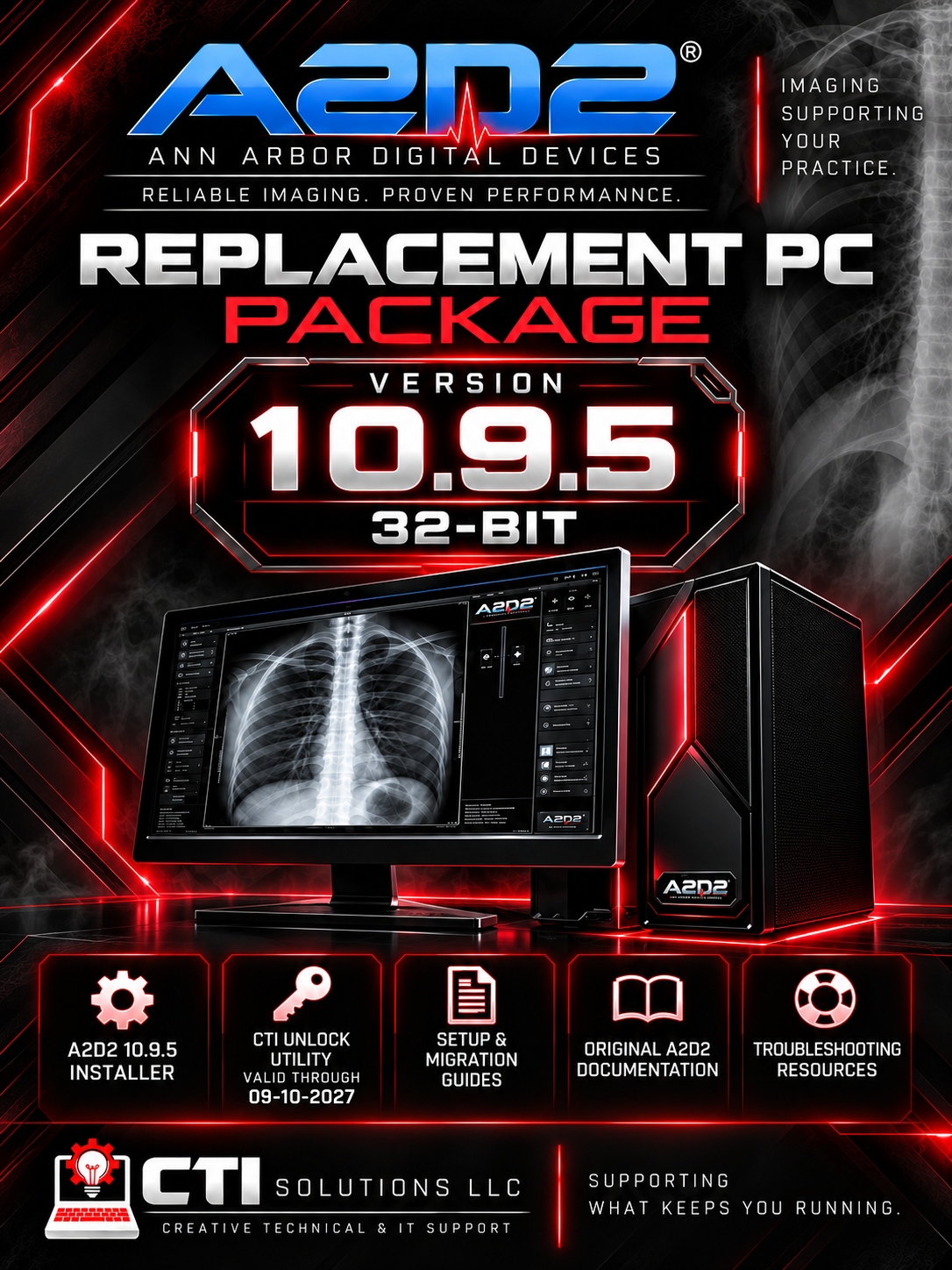
A complete replacement-PC installation package for existing A2D2 X-ray systems that require the final 32-bit A2D2 software release.
This package includes A2D2 version 10.9.5, the current CTI-issued unlock utility, original A2D2 support documentation, and updated CTI setup and troubleshooting guides to help reinstall or move an existing A2D2 system to a replacement computer.
Version 10.9.5 is intended for older A2D2 installations that require the 32-bit software family. If you are unsure whether this is the correct version for your imager, contact CTI Solutions before purchasing.
Included in this package:
A2D2 XRay DR version 10.9.5 installer
CTI/A2D2 unlock utility valid through September 10, 2027
CTI New PC Setup guide
Acquisition Mode instructions
Folder permissions guide
Default X-ray directory instructions
Imager connection troubleshooting
Original A2D2 migration and support documentation
Need it fast?
This package is designed as a convenient self-service option for existing A2D2 customers who want the correct software, unlock utility, setup guides, and support documentation together in one immediate download.
If you are unsure which version you need, would prefer assistance, or do not need immediate self-service access, contact CTI Solutions Support before purchasing. We can help identify the correct software for your system and discuss available support options.
This package is intended for existing A2D2 systems being reinstalled, migrated, or moved to a replacement computer.
Digital product. No physical item will be shipped.




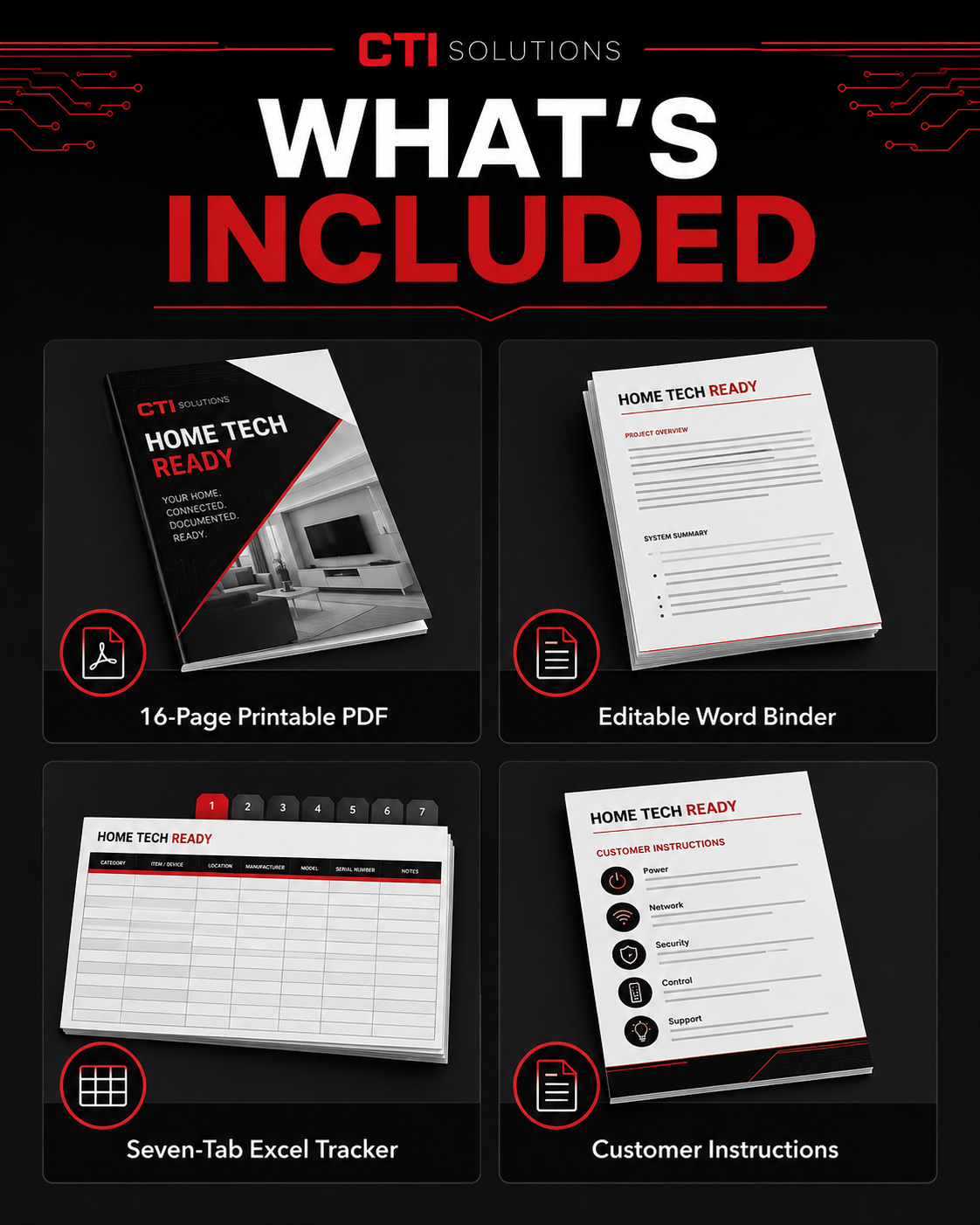
Get your household technology information organized before a device is lost, an account becomes inaccessible, or important equipment fails.
Home Tech Ready gives households and caregivers one organized place to document devices, warranties, subscriptions, backup methods, home-network equipment, account-recovery locations, and trusted technology contacts—without creating an unsafe password list.
WHAT’S INCLUDED:
• 16-page print-ready US Letter PDF
• Editable Microsoft Word binder
• Seven-tab Microsoft Excel tracker with automatic summary
• Device and serial-number inventory
• Warranty, receipt, repair, and claim tracker
• Software and subscription tracker
• Backup plan and review checklist
• Internet and home-network organizer
• Account and recovery-location map
• Lost-device action checklist
• Scam and suspicious-message checklist
• Trusted technology contact sheet
• Six-month review checklist
• Customer instructions and household license
BEST FOR:
Households with multiple computers, phones, tablets, smart devices, subscriptions, or home-network equipment; adults helping parents organize their technology; and caregivers who may need to locate essential support information.
PRIVACY-SAFE BY DESIGN:
Do not enter passwords, PINs, recovery codes, security-question answers, full payment-card information, encryption keys, or cryptocurrency seed phrases. The organizer provides space to record only where sensitive credentials and recovery information are securely stored.
IMPORTANT:
This is a digital download. No physical binder will be shipped. Microsoft Word and Excel or compatible applications may be required to edit the source files. Personalized customization and technical-support services are not included.
By purchasing this digital product, you acknowledge that it is provided “as is” without warranties or guarantees. You are responsible for verifying that the materials meet your household’s specific needs. Creative Technical & IT Solutions, LLC is not liable for losses or damages resulting from its use. One purchase licenses the files for use by one household. Due to the digital nature of this product, all sales are final.
Prepare your medical office to respond to technology interruptions without relying on improvised decisions during an emergency.
This plain-language emergency toolkit helps medical and professional healthcare offices organize their response to internet outages, computer and printer failures, EMR/EHR interruptions, imaging-system problems, power failures, and suspected cybersecurity incidents.
WHAT’S INCLUDED:
• Emergency-readiness and contact record
• First-15-minutes response checklist
• Communication and responsibility assignments
• Internet and network outage checklist
• Computer, printer, and scanner checklist
• EMR/EHR interruption checklist
• Imaging-technology interruption checklist
• Power-failure and controlled-restart checklist
• Suspected cybersecurity-incident response
• Recovery validation and return-to-service records
• Technology incident log and review
• 13-page printable PDF and editable Microsoft Word DOCX
BEST FOR:
Medical practices, dental offices, chiropractic offices, podiatry practices, imaging facilities, clinic managers, privacy officers, and healthcare organizations without a full-time internal IT department.
IMPORTANT:
This toolkit is a documentation and preparedness resource. It does not provide medical, legal, privacy-compliance, cybersecurity, insurance, or technical advice. It does not include technical support, cybersecurity monitoring, data recovery, backup services, EMR configuration, network configuration, or guaranteed recovery.
Do not record patient names, dates of birth, medical-record numbers, images, diagnoses, payment information, or other protected or sensitive information in unsecured working copies. Clinical-continuity and privacy procedures must be created and approved by qualified facility leadership.
By purchasing this digital product, you acknowledge that it is provided “as is” without warranties or guarantees. You are responsible for verifying that the materials meet your organization’s specific technical, privacy, security, legal, and clinical requirements. Creative Technical & IT Solutions, LLC is not liable for losses or damages resulting from their use. Due to the digital nature of this product, all sales are final.
Prepare your business before the next technology interruption.
This plain-language emergency and recovery binder gives small businesses an organized system for responding to internet outages, computer failures, unavailable applications, data loss, power interruptions, suspected cybersecurity incidents, and other technology emergencies.
WHAT’S INCLUDED:
• Business technology readiness record
• First-response and incident-scoping checklist
• Internet, Wi-Fi, and phone outage response
• Computer, printer, application, and shared-file response
• Data-loss, backup, and recovery records
• Power interruption and controlled-restart checklist
• Suspected cybersecurity incident response
• Vendor escalation and interaction records
• Recovery validation and return-to-work checklist
• Incident timeline and after-action review
• Quarterly technology-readiness review
• 13-page printable PDF and editable Microsoft Word DOCX
BEST FOR:
Small businesses, professional offices, independent practices, office managers, business owners, and organizations without a full-time internal IT department.
IMPORTANT:
This binder is a documentation and preparedness resource. It does not include technical support, cybersecurity monitoring, data recovery, backup services, network configuration, insurance advice, legal advice, or guaranteed recovery from an interruption.
Never record passwords, recovery codes, encryption keys, payment information, or other sensitive credentials in this binder. Record only where authorized credentials are securely stored and who is permitted to retrieve them.
By purchasing this digital product, you acknowledge that it is provided “as is” without warranties or guarantees. You are responsible for verifying that the materials meet your organization’s specific needs and policies. Creative Technical & IT Solutions, LLC is not liable for losses or damages resulting from their use. Due to the digital nature of this product, all sales are final.
A privacy-conscious configuration and acceptance workbook for legacy A2D2 EMR import tray applications and Windows services.
WHAT’S INCLUDED:
• Tray-application versus Windows-service inventory
• Data-flow and folder mapping
• Configuration-baseline record
• Folder-polling acceptance tests
• TCP/IP and firewall acceptance records
• Monitoring, error-recovery, and rollback logs
• Printable PDF and editable Microsoft Word DOCX
BEST FOR:
Authorized IT personnel, interface teams, and A2D2 owners documenting an existing EMR import configuration.
IMPORTANT:
This is an original CTI companion toolkit, not a republication of the original A2D2 support PDFs. Interface software, firewall authorization, installation, programming, vendor coordination, patient-data correction, and guaranteed compatibility are not included.
By purchasing this digital product, you acknowledge that it is provided “as is” without warranties or guarantees. Purchase does not include technical support, customization, installation, programming, network configuration, privacy compliance advice, or legal advice. You are responsible for verifying that the materials and configuration meet your organization’s specific technical, security, privacy, and clinical requirements. Creative Technical & IT Solutions, LLC is not liable for losses or damages resulting from their use. Due to the digital nature of this product, all sales are final.
A security-first, app-neutral workbook for evaluating and documenting authorized iPad access to A2D2 image files.
WHAT’S INCLUDED:
• Device and workflow inventory
• Security and privacy readiness review
• File-share and application configuration record
• Connection and viewing acceptance test
• Daily operator workflow
• Loss, offboarding, and decommissioning records
• Printable PDF and editable Microsoft Word DOCX
BEST FOR:
Facilities evaluating approved mobile viewing workflows under their own IT, privacy, and clinical policies.
IMPORTANT:
This is an original CTI companion toolkit, not a republication of the original A2D2 support PDFs. An iPad application, device-management service, diagnostic-display approval, cloud storage, network setup, privacy authorization, and technical support are not included.
By purchasing this digital product, you acknowledge that it is provided “as is” without warranties or guarantees. Purchase does not include technical support, customization, network configuration, privacy compliance advice, or legal advice. You are responsible for verifying that the materials and workflow meet your organization’s specific technical, privacy, security, and clinical requirements. Creative Technical & IT Solutions, LLC is not liable for losses or damages resulting from their use. Due to the digital nature of this product, all sales are final.
A documentation and readiness kit for aging A2D2 1713 systems, designed to preserve useful system knowledge and improve technical-support handoffs.
WHAT’S INCLUDED:
• Legacy-system inventory and condition record
• Operational readiness checklist
• Exposure and positioning observation logs
• Motion and level observation records
• Maintenance history and continuity planning
• Support escalation package
• Printable PDF and editable Microsoft Word DOCX
BEST FOR:
Organizations continuing to operate or support a legacy A2D2 1713 system.
IMPORTANT:
This is an original CTI companion toolkit, not a republication of the original A2D2 support PDFs. Parts availability, factory service, calibration, repairs, continued compatibility, and unrestricted access to the system are not included or guaranteed.
By purchasing this digital product, you acknowledge that it is provided “as is” without warranties or guarantees. Purchase does not include technical support, customization, installation, repair, calibration, or legal advice. You are responsible for verifying that the materials meet your specific needs. Creative Technical & IT Solutions, LLC is not liable for losses or damages resulting from their use. Due to the digital nature of this product, all sales are final.
An original CTI companion workbook for consistent A2D2 128i operational records, basic observation, maintenance history, and technical-support handoff.
WHAT’S INCLUDED:
• System, camera, and computer inventory
• Approved exposure-baseline record
• Positioning and workflow checks
• Image-quality observation log
• Maintenance and troubleshooting history
• Escalation and handoff records
• Printable PDF and editable Microsoft Word DOCX
BEST FOR:
Authorized A2D2 128i users and technicians who want a repeatable documentation process for legacy equipment.
IMPORTANT:
This is an original CTI companion toolkit, not a republication of the original A2D2 support PDFs. Factory documentation, licensed camera settings, calibration, repairs, replacement parts, remote support, and permission to alter restricted controls are not included.
By purchasing this digital product, you acknowledge that it is provided “as is” without warranties or guarantees. Purchase does not include technical support, customization, installation, repair, calibration, or legal advice. You are responsible for verifying that the materials meet your specific needs. Creative Technical & IT Solutions, LLC is not liable for losses or damages resulting from their use. Due to the digital nature of this product, all sales are final.
An original CTI companion workbook for documenting normal A2D2 128s operation, exposure baselines, positioning, image review, maintenance, and technical-support handoff.
WHAT’S INCLUDED:
• System and camera inventory
• Approved exposure-baseline record
• Positioning and workflow checks
• Image-quality observation log
• Maintenance and issue history
• Service escalation and handoff forms
• Printable PDF and editable Microsoft Word DOCX
BEST FOR:
Authorized A2D2 128s users and service personnel who need consistent operational records without changing restricted settings.
IMPORTANT:
This is an original CTI companion toolkit, not a republication of the original A2D2 support PDFs. Factory documentation, calibration instructions, camera-configuration values, repairs, parts, remote services, and authorization to bypass safety controls are not included.
By purchasing this digital product, you acknowledge that it is provided “as is” without warranties or guarantees. Purchase does not include technical support, customization, installation, repair, calibration, or legal advice. You are responsible for verifying that the materials meet your specific needs. Creative Technical & IT Solutions, LLC is not liable for losses or damages resulting from their use. Due to the digital nature of this product, all sales are final.
A practical maintenance and troubleshooting workbook that helps offices capture useful facts, test one change at a time, and prepare clearer technical-support handoffs.
WHAT’S INCLUDED:
• Routine computer and imaging-system checks
• Symptom and error documentation
• Controlled troubleshooting records
• Connection, path, permission, and image-quality checks
• Maintenance history and escalation package
• Printable PDF and editable Microsoft Word DOCX
BEST FOR:
Facilities that want a repeatable A2D2 maintenance routine and a clearer record before requesting technical support.
IMPORTANT:
This is an original CTI companion toolkit, not a republication of the original A2D2 support PDFs. Hardware diagnosis, repairs, replacement parts, calibration services, remote support, and unrestricted technical access are not included.
By purchasing this digital product, you acknowledge that it is provided “as is” without warranties or guarantees. Purchase does not include technical support, customization, installation, repair, calibration, or legal advice. You are responsible for verifying that the materials meet your specific needs. Creative Technical & IT Solutions, LLC is not liable for losses or damages resulting from their use. Due to the digital nature of this product, all sales are final.
A structured, editable toolkit for planning, documenting, validating, and handing off an A2D2 computer migration or recovery.
WHAT’S INCLUDED:
• Pre-migration inventory and readiness review
• Backup and path-mapping worksheets
• Controlled migration sequence
• Post-move validation and acceptance records
• Rollback plan, issue log, and final handoff
• Printable PDF and editable Microsoft Word DOCX
BEST FOR:
A2D2 owners, office managers, IT providers, and authorized technicians preparing for a computer replacement, drive change, or recovery.
IMPORTANT:
This is an original CTI companion toolkit, not a republication of the original A2D2 support PDFs. Software installation, licensing, data recovery, remote support, repair services, and guarantees that damaged or incomplete data can be restored are not included.
By purchasing this digital product, you acknowledge that it is provided “as is” without warranties or guarantees. Purchase does not include technical support, customization, installation, repair, data recovery, or legal advice. You are responsible for verifying that the materials meet your specific needs. Creative Technical & IT Solutions, LLC is not liable for losses or damages resulting from their use. Due to the digital nature of this product, all sales are final.
The complete CTI-authored documentation system for maintaining records, planning controlled changes, validating results, and preparing better A2D2 technical-support handoffs.
Get all seven CTI A2D2 companion kits in one instant-download package. The library covers computer migration and recovery, troubleshooting and maintenance, 128s operations, 128i operations, 1713 legacy support, secure iPad workflows, and EMR configuration documentation.
Every kit includes a printable PDF and an editable Microsoft Word DOCX file.
Included:
A2D2 Computer Migration & Recovery Kit
A2D2 Troubleshooting & Maintenance Kit
A2D2 128s Operations & Service Kit
A2D2 128i Operations & Service Kit
A2D2 1713 Legacy Support Kit
A2D2 iPad Workflow Kit
A2D2 EMR Configuration Kit
Important: This bundle contains original CTI-authored companion checklists, worksheets, logs, validation records, and handoff forms. It does not contain the original A2D2 support-document ZIP files, licensed camera-setting products, software, installation, repair, remote support, or consulting.

Support Documentation 1713 (Chiro) Series in a Zip file.
Includes the following:
1. A2D2 1 Button Motion Toolbar.pdf
2. Model 1713 Exposure.pdf
3. Model 1713 Installation.pdf
4. Model 1713 Levels.pdf
5. Model 1713 Motion Preferences.pdf
End User Agreement
No Implied Services: Purchase of downloadable forms or templates does not include setup, consultation, or ongoing support.
Use at Your Own Risk: All materials are provided “as-is” for informational or operational convenience. The buyer assumes full responsibility for their use and applicability.
No Refunds: Due to the digital nature of these products, all sales are final.
Limitation of Liability: Creative Technical & IT Solutions, LLC shall not be held liable for any direct, indirect, incidental, or consequential damages arising from the use of these materials.
Support Documentation 128s Series in a Zip file.
Includes the following:
1. Model 128s Preferences.pdf
2. Model 128s Patient Positioning.pdf
3. Model 128s Levels.pdf
4. Model 128s Installation.pdf
5. Model 128s Exposure.pdf
6. Model 128s Base Positioning.pdf
End User Agreement
No Implied Services: Purchase of downloadable forms or templates does not include setup, consultation, or ongoing support.
Use at Your Own Risk: All materials are provided “as-is” for informational or operational convenience. The buyer assumes full responsibility for their use and applicability.
No Refunds: Due to the digital nature of these products, all sales are final.
Limitation of Liability: Creative Technical & IT Solutions, LLC shall not be held liable for any direct, indirect, incidental, or consequential damages arising from the use of these materials.
Support Documentation 128i Series in a Zip file.
Includes the following:
1. Model 128i Preferences.pdf
2. Model 128i Patient Positioning.pdf
3. Model 128i Levels.pdf
4. Model 128i Installation.pdf
5. Model 128i Exposure.pdf
6. Model 128i Base Positioning.pdf
End User Agreement
No Implied Services: Purchase of downloadable forms or templates does not include setup, consultation, or ongoing support.
Use at Your Own Risk: All materials are provided “as-is” for informational or operational convenience. The buyer assumes full responsibility for their use and applicability.
No Refunds: Due to the digital nature of these products, all sales are final.
Limitation of Liability: Creative Technical & IT Solutions, LLC shall not be held liable for any direct, indirect, incidental, or consequential damages arising from the use of these materials.
General A2D2 Support Documentation in a Zip file.
Includes the following:
1. New PC Migration.pdf
2. Using iPad.pdf
3. Setting up iPad.pdf
4. Non Uniformity.pdf
5. Master Unlock Instructions.pdf
6. Imager Connection Error.pdf
7. GoToMeeting_Attendee_QuickRef_Guide.pdf
8. Copying X-Rays - CD or Removable.pdf
9. Changing the default directory.pdf
10. Changing A2D2 Permissions.pdf
11. Acquisition Mode.pdf
12. A2D2 2 Button Toolbar.pdf
13. A2D2_Uninstall_Reinstall_Instructions.pdf
End User Agreement
No Implied Services: Purchase of downloadable forms or templates does not include setup, consultation, or ongoing support.
Use at Your Own Risk: All materials are provided “as-is” for informational or operational convenience. The buyer assumes full responsibility for their use and applicability.
No Refunds: Due to the digital nature of these products, all sales are final.
Limitation of Liability: Creative Technical & IT Solutions, LLC shall not be held liable for any direct, indirect, incidental, or consequential damages arising from the use of these materials.

Canon EOS 6D Camera Settings – Licensed Configuration File
This downloadable PDF provides the correct A2D2 camera settings for Canon EOS 6D cameras used in A2D2 128s imaging systems
These settings are based on verified factory configurations used during production and ensure consistent image quality, exposure, and calibration results.
What’s Included:
• Complete list Camera Preference Settings for Canon EOS 6D camera
License Terms:
• Redistribution, resale, or public posting of this file is strictly prohibited
• No installation or technical support is included with this purchase
Delivery:
Instant download as a PDF file upon purchase.

Canon Rebel T5i Camera Settings – Licensed Configuration File
This downloadable PDF provides the correct A2D2 camera settings for Canon Rebel T5i cameras used in older A2D2 128i imaging systems
These settings are based on verified factory configurations used during production and ensure consistent image quality, exposure, and calibration results.
What’s Included:
• Complete list Camera Preference Settings for Canon Revel T5i camera
License Terms:
• Redistribution, resale, or public posting of this file is strictly prohibited
• No installation or technical support is included with this purchase
Delivery:
Instant download as a PDF file upon purchase.

Canon Rebel T7i Camera Settings – Licensed Configuration File
This downloadable PDF provides the correct A2D2 PC Utility camera settings for Canon Rebel T7i cameras used in A2D2 128i imaging systems (June 2023 units and similar).
These settings are based on verified factory configurations used during production and ensure consistent image quality, exposure, and calibration results.
What’s Included:
• Complete list Camera Preference Settings for Canon Rebel T7i camera
License Terms:
• Redistribution, resale, or public posting of this file is strictly prohibited
• No installation or technical support is included with this purchase
Delivery:
Instant download as a PDF file upon purchase.
No results found
No results match your search. Try removing a few filters.